Featured guide
How to read research papers without losing your mind.
You settle yourself down to finally read that complex research paper and tell yourself that you will concentrate and stay focused. By the time you reach the third paragraph you come across a wall of dense and unfamiliar terminology.
What you do is highlight the text, open a new browser tab, go to ChatGPT, paste the paragraph, and then request a simple explanation. You read the summary, go back to the PDF and take ten seconds to look for the place where you had left off.
Once two minutes have passed, it occurs once more—another confusing concept, another new tab, and another instance of copy-and-paste.
By the time you realize it, forty-five minutes have gone by. You check your browser and see that six different AI chat windows are open, and you find out that you haven't even completed the first page of the paper. You never intended to spend all that time—you had only been trying to understand what you were reading.
The issue goes beyond the difficulty of research papers; the actual problem is that your reading workflow is flawed. Each time you leave the page to look for an explanation, you disrupt your context and lose the progress you've made. The mental energy you use from constantly managing multiple tabs is consumed more quickly than the energy used actually reading.
A better method of reading online material that is difficult to understand does not require having a dozen tabs open.
Why research papers feel so hard to read
The style used in academic and technical writing is quite particular and is seldom tailored to the reader. Reading a paper is not simply about taking in words; it involves struggling with long and complicated sentences and coming across a great deal of technical jargon which the authors suppose that you already understand.
As for the visual elements, there are dense tables, complicated diagrams, and acronyms which were defined twenty pages earlier. The amount of information presented calls for your full attention. Whenever you come across a concept that you don't understand, your concentration is ruined. You can't simply move on by skimming it, since the rest of the document depends on you grasping that particular point.
Why the copy-paste workflow is broken
In order to cope with dense writing, most people have resorted to the copy-and-paste method: they locate a difficult paragraph, copy it, and then paste it into a different AI tool in order to work out what it means.
But as soon as you stop using your source material, you lose a lot of focus. You cease to have a physical position on the page; when you read the explanation and then go back, you usually forget the original context of the paragraph and have to reread the section in order to get back to the point where you left off.
The issue is not simply understanding since you also have to break your concentration. You're making your brain continuously context-switch between reading the paper carefully and keeping an active control of your browser tabs.
What people usually try
We generally attempt a number of different workarounds in order to overcome this friction, but they usually don't work.
- Looking up specific terms: While this is useful for getting quick definitions, a Google search seldom explains how the term applies to the particular context of the paper you are reading.
- Reading summaries: Using reading summaries is useful for getting a broad overview of the material, but they provide no assistance when you are having trouble with a key, detailed methodology section that is in the middle of the text.
- Using ChatGPT in a different tab: AI chat tools are extremely intelligent and helpful; the problem doesn't lie with the AI but with the interface. Having a separate chat window keeps it entirely isolated from the work you are doing on your document and makes you have to act as an intermediary between the document and the AI.
The better workflow: understanding in context
The lack of context is the missing element in the entire process. When you are reading a paper, the explanation should be included in the paper and placed right beside the text which you are having difficulty with.
That is precisely the reason why I developed Kogvio.
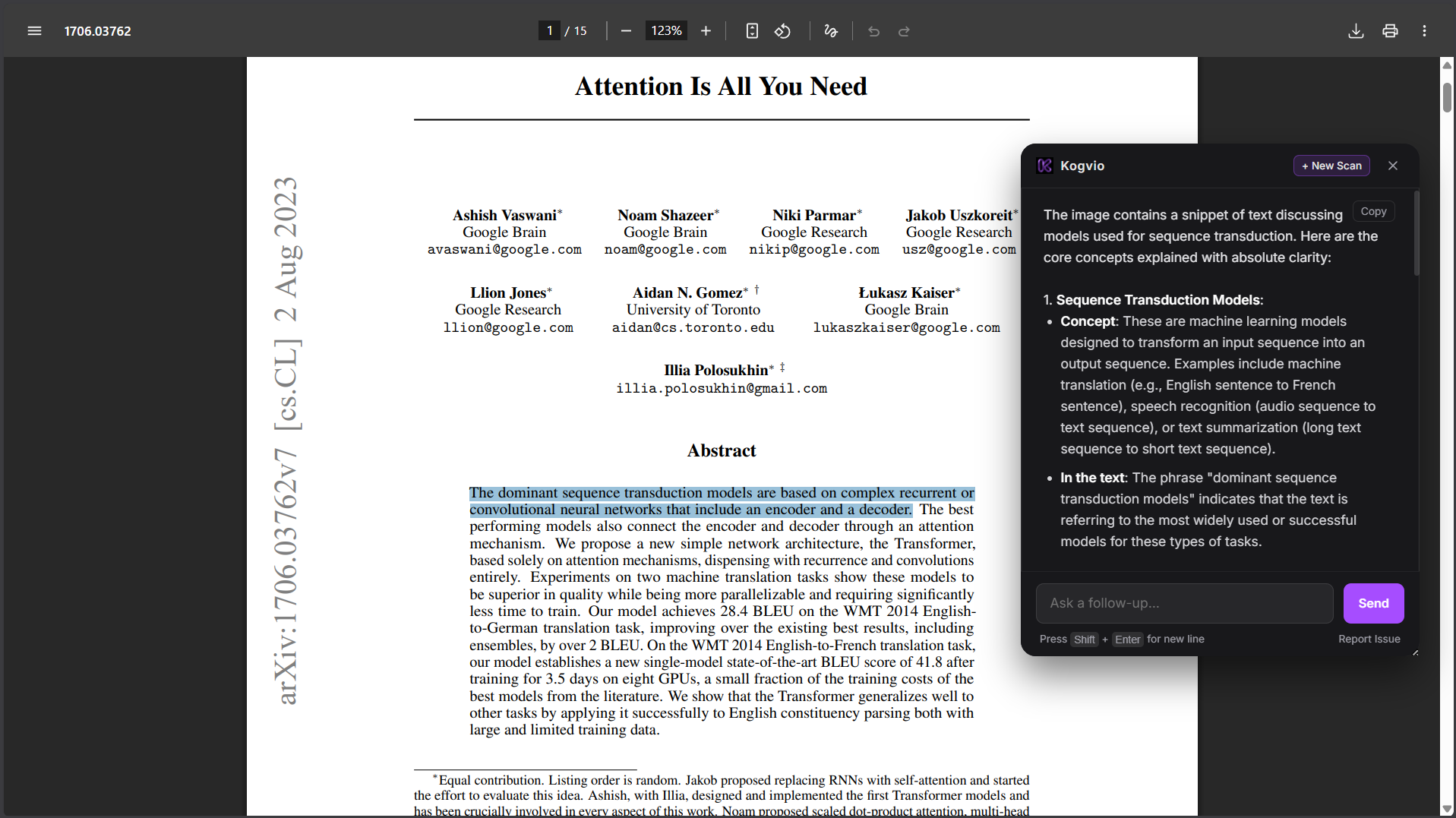
Rather than opening a new tab, you remain in your current location. As soon as you come across a section of dense text, you simply highlight it and press a keyboard shortcut. A neat and simple window then appears directly on top of your page.
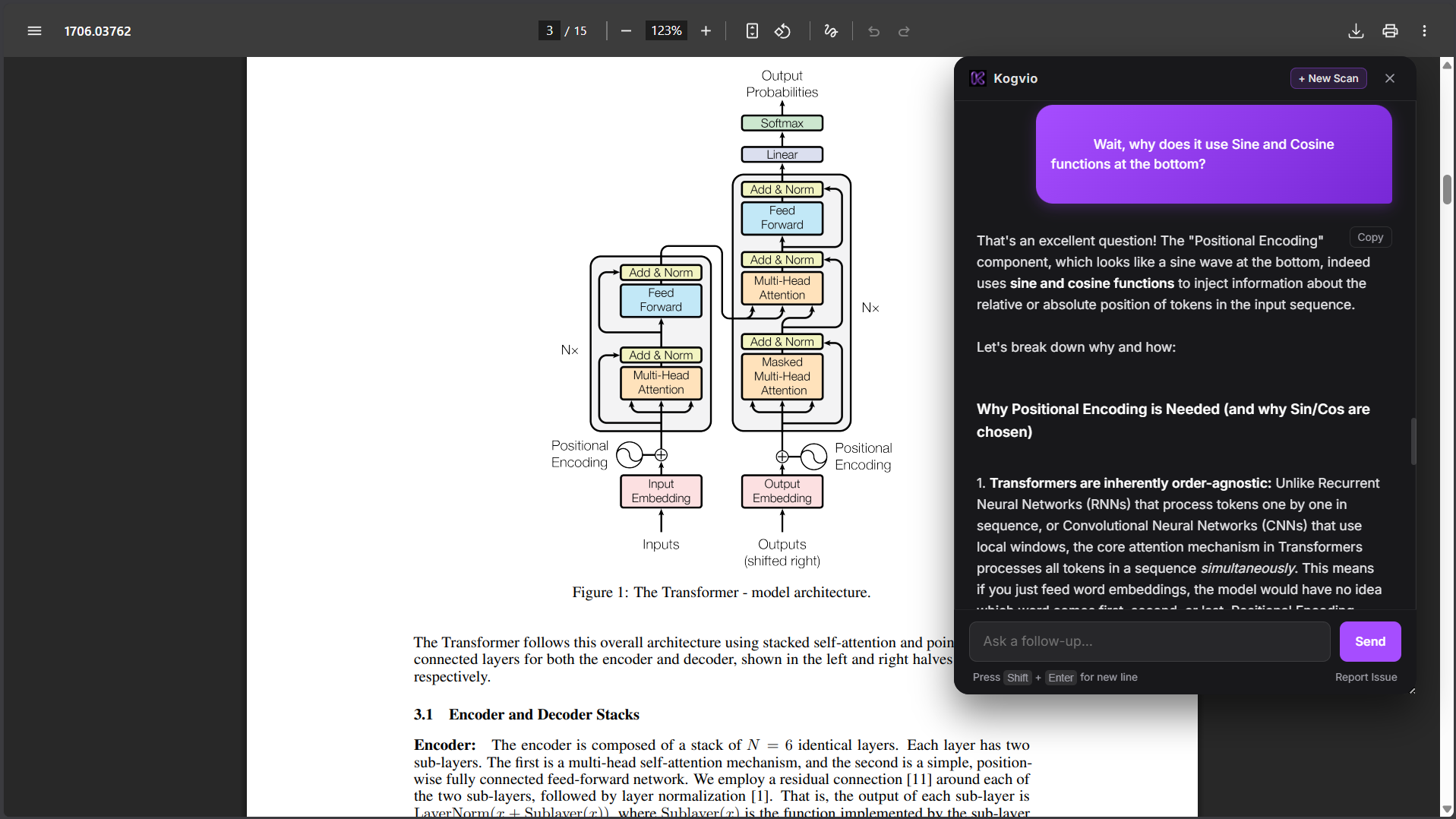
You are free to ask a question, after which you will receive a straightforward explanation in plain English about the specific paragraph that you highlighted and then be able to read the answer. Once you have finished, just close the section and then read the following line in your PDF.
You never switched to another tab, you never lost your position on the page, and you maintained your state of flow entirely.
How this looks in practice
This on-screen workflow alters the way you interact with nearly any difficult content available online. Below is an example of how it appears in ordinary situations:
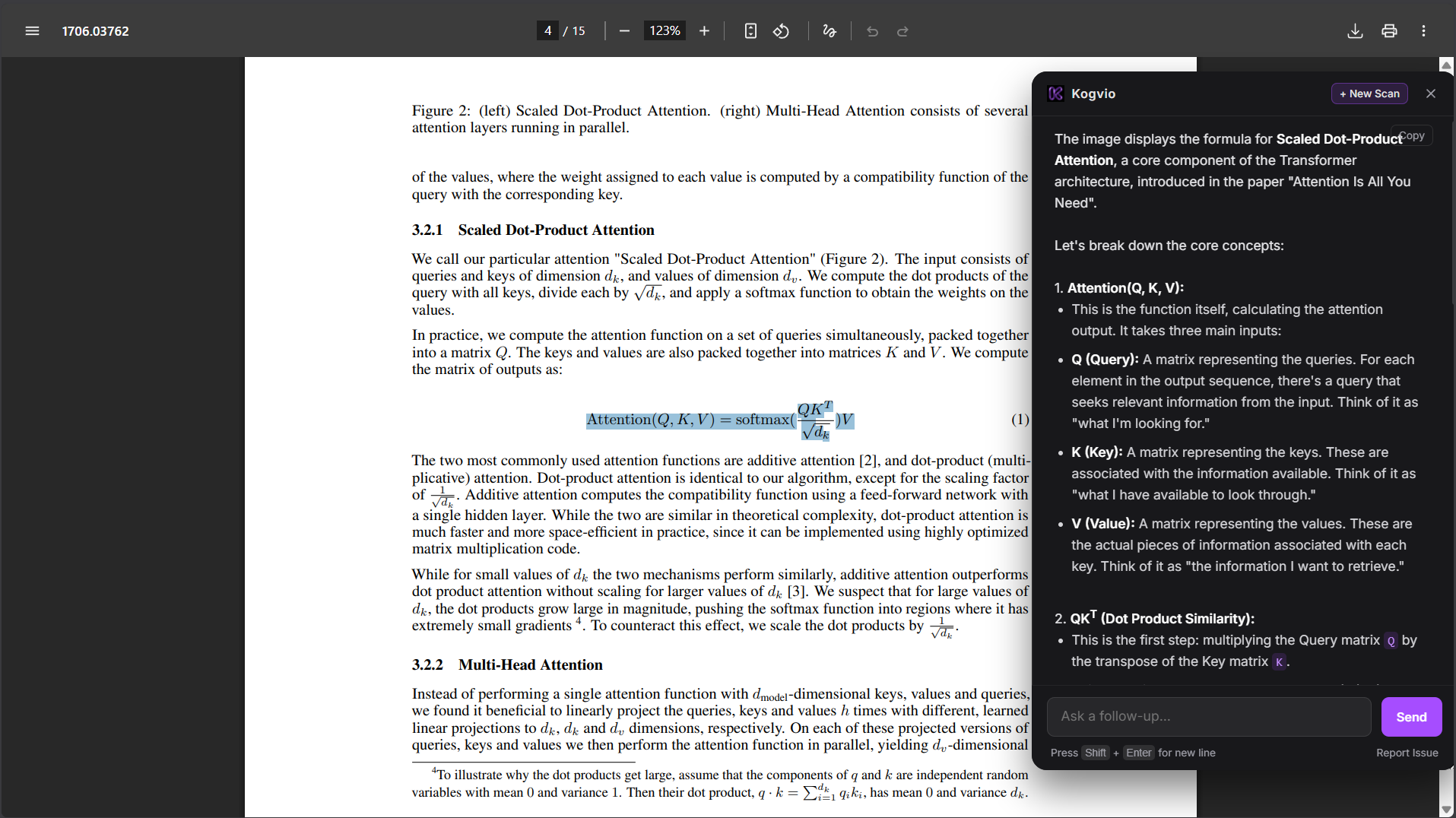
- When you're working through the methodology section of a research paper and come across a highly technical statistical model, rather than trying to figure out what it means, you highlight the paragraph and then immediately see a simplified explanation next to the text.
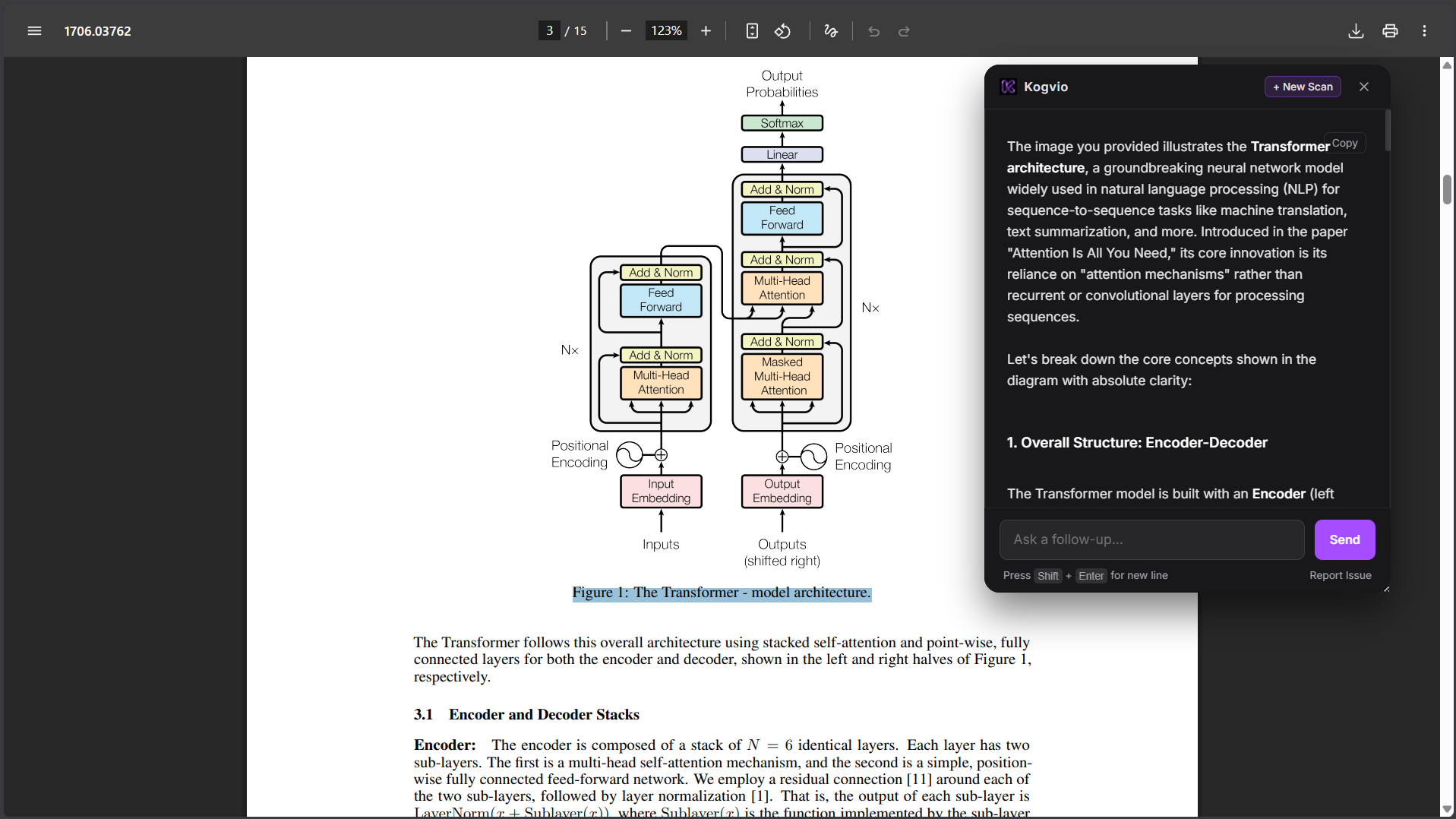
- You are looking at a complicated pathology diagram as part of your exam preparation and there are a dozen overlapping pathways. You highlight the chart and ask, "What is the difference between the in vitro and in vivo pathways here?" and receive the precise answer without having to leave the study material.
- Fragmented technical documentation: When you're learning a new framework and the official documentation is spread out over five separate pages, if you highlight the confusing API instructions you will immediately receive a contextual explanation of how to implement them.
- You're looking at a large and disordered section of code on GitHub. Rather than copying all 200 lines and pasting them into another chat window, you highlight the code block on your screen and ask, "What is this function actually doing?"
Why this workflow is better
Reading becomes a lot faster if you cease to use your browser as if it were a copy-and-paste machine. You suffer from less mental disruption since you're not having to manage windows and as a result your brain can remain completely concentrated on the topic in question. This in turn causes you to understand the material more quickly and results in much better long-term memory. Rather than merely organising the content you actually spend your time learning it.
What is Kogvio?
Kogvio is a Chrome extension that is native to the browser and is designed to explain complicated text and diagrams while keeping you in the same context. It functions as an intelligent on-screen overlay which works directly on webpages, online PDFs, and local files that are opened in your browser.
Who this is for
This workflow is designed for anyone who reads difficult content daily:
- University students reading PDFs of dense textbooks.
- Researchers going through technical papers.
- Developers reading documentation and fixing code bugs.
- Medical students learning complex biological pathways.
How to start
It is simple to switch to this workflow.
- Open the PDF or webpage in Chrome.
- Call attention to the confusing text, code, or diagram.
- To open the overlay press Ctrl + Shift + E (or Cmd + Shift + E on Mac).
- Submit your question and then read the simplified explanation.
- Close the overlay and then continue reading.
Stop leaving the page
The internet provides us with unlimited access to information, but proper understanding shouldn't demand that you break your concentration. Learning is most effective when you remain in the state of flow. If your daily activity involves reading online material that is dense and difficult, then Kogvio is designed to fit your workflow.